
Leganto February 2024 Release Notes
March 2024 Sneak Preview
-
NERS: Notify user when broken links are resolved
-
Import citations from EndNote
Main Features
NERS: Email Notification When Links are Marked as Broken
February 2024 Leganto URM-198785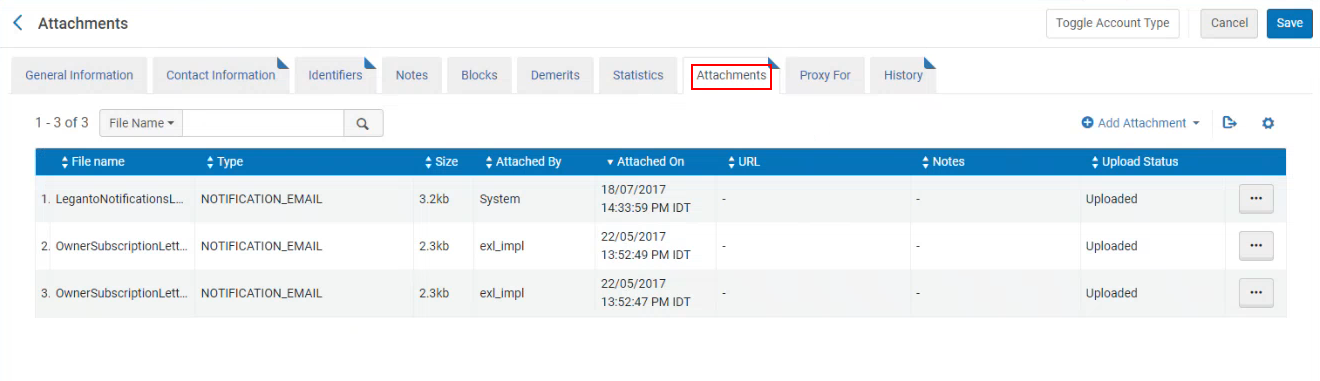 NERS Enhancement (ID #8308)
Library staff can now receive email notifications when a user marks a link as broken. The library can configure that emails are sent to one or more Alma users and/or one or more email addresses.
To configure that email notifications are sent to Alma users, configure the mark_as_broken_email_notification(Configuration > Leganto > Features > Leganto Features) parameter, using a comma to enter multiple entries. If the mark_as_broken_user_notification parameter is populated, a copy of the letter is also available in the user's Attachments list.
To configure that email notifications are sent to specific email addresses (such as a generic helpdesk), configure the mark_as_broken_email_notification parameter, using a comma to enter multiple entries.
It is possible to have email notifications sent to both specific users and specific email addresses. When either the mark_as_broken_email_notification parameter or the mark_as_broken_user_notification parameter is configured, an email is sent to that address each time a link or file is marked as broken. When multiple users report the same link as broken, a counter is added in the Alerts tab indicating how many users have marked the link as broken.
The Leganto Link Marked As Broken Letter (enabled by default) can be customized under General > Letters > Letter Configuration.
For more information, see Enabling Broken Link Reporting.
Prevent Instructors from Creating New Lists
February 2024 Leganto  Idea Exchange URM-207263
Some libraries create all reading lists on behalf of instructors. For institutions whose librarians are the sole list creators, it is now possible to configure Leganto to prevent instructors from creating new lists. The following workflows are now supported:
- Instructors can create new reading lists (no changes).
- Instructors can create reading lists from the learning management system (LMS) but not from the standalone. This ensures all reading lists are linked to courses.
- Instructors can create reading lists from the standalone but not from the LMS. This provides flexibility for instructors who create lists that are not linked to courses.
- Instructors cannot create any new reading lists. This gives the library full control over all lists that are created.
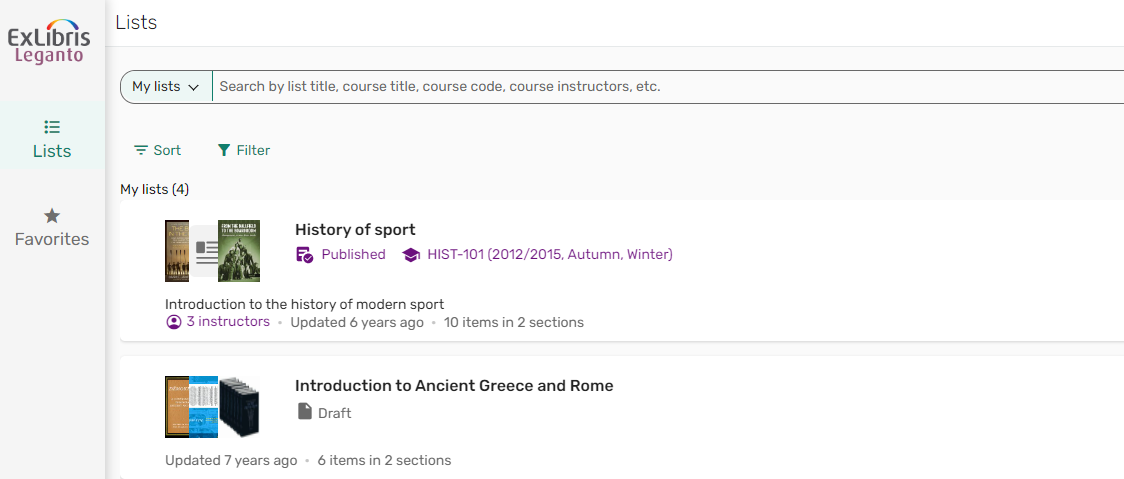
To prevent instructors from creating reading lists in the standalone, set the parameter instructor_create_list(Configuration > Leganto > List Management > Settings) to false(default true). When set to false, the Create list menu does not appear to instructors.
To prevent instructors from creating reading lists when beginning in the LMS, set the parameter cms_entry_actions(Configuration > Leganto > LTI > Settings)all or use the new parameter value list.
All other parameters that enable list creation such as Duplicate and Rollover must be disabled separately.
For more information, see Preventing Instructors from Creating New Lists.
Additional Enhancements
-
February 2024 Analytics URM-207959 The New UI field was added to Leganto Student Usage > Student Usage and Leganto Instructor Usage Events > Instructor Usage Events. It indicates if the usage was made in the new Leganto UI.
-
February 2024 Analytics SF: 06890854 URM-207430 The new Reading List Sections Without Citations report is now available. It displays the reading list sections without citations. You can use this list to remove these sections, if desired.
-
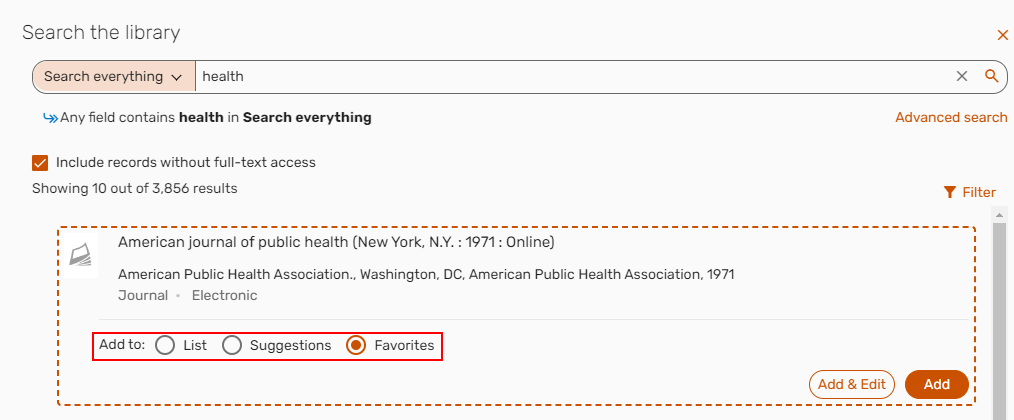
February 2024 Leganto URM-199585 When searching the library from the Favorites menu, you can now add an item directly to a list or as a suggestion in addition to the Favorites list.
For more information, see Searching for an Item from the Institution's Library.
-
February 2024 Leganto URM-200899 URM-205050 SF: 06908368 06978401Folders of files can now be uploaded to Favorites in the new UI.
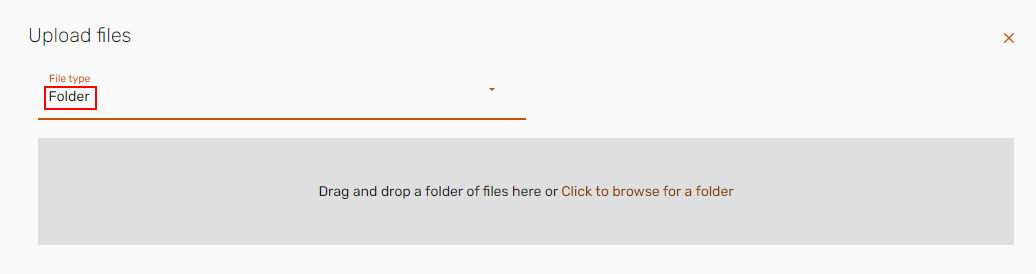
Additionally, references can now be imported to Favorites.
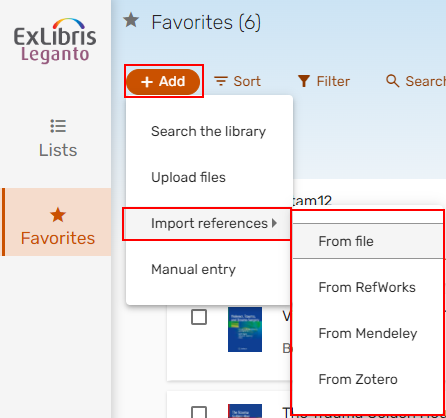
For more information, see Uploading a Folder to Favorites.
-
February 2024 Leganto SF: 06946493SF: 06946493 URM-206169 When editing items in bulk, if any of the selected items are part of a locked section, some of the bulk actions are disabled, and a message is displayed indicating that some of the selected items are locked, and therefore, some actions are disabled.
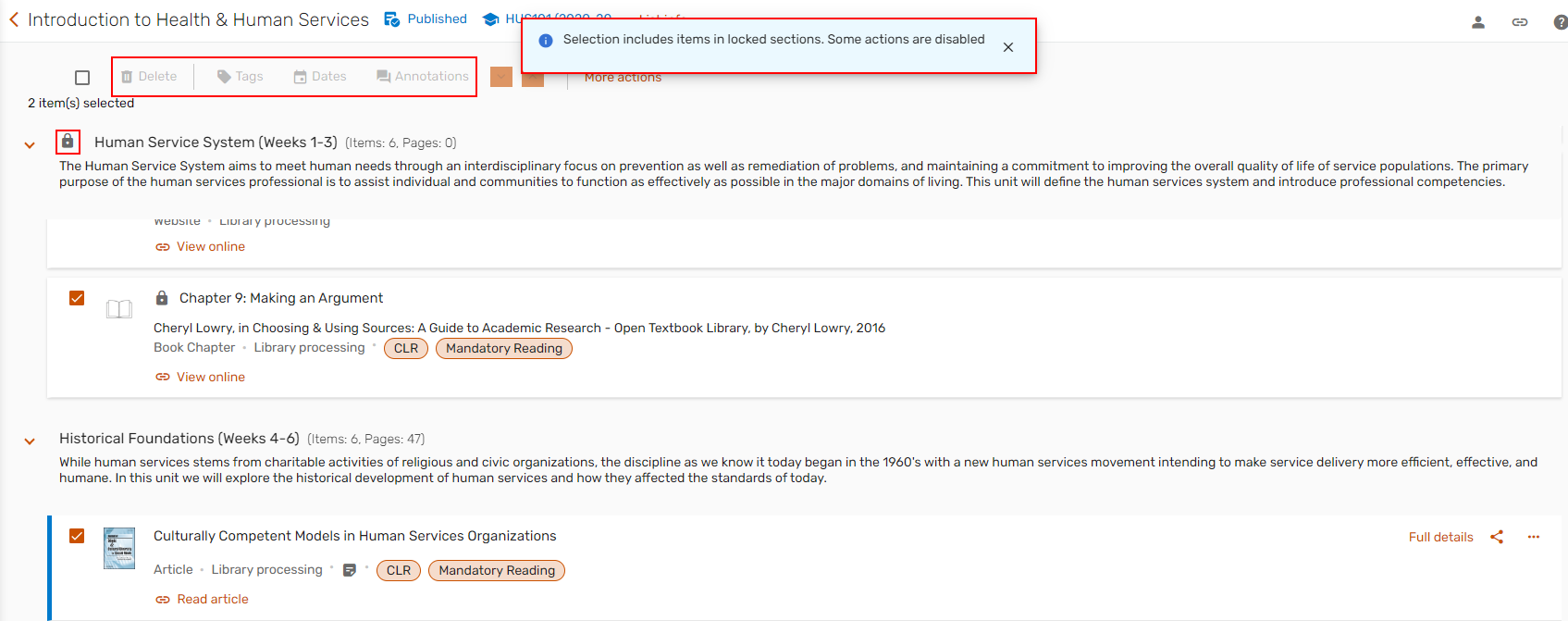
When bulk editing items, if any of the selected items was a note, a toast now indicates that a note is included in the selection and therefore, some of the editing options are disabled.
For more information, see Editing Items in Bulk.
-
February 2024 Leganto URM-200899 URM-196183 SF: 06824478 06773138 Cite It! now supports the following sites:
- Sudoc
- Dialnet
For more information, see Adding a Citation from a Website (Using_Cite It!).
-
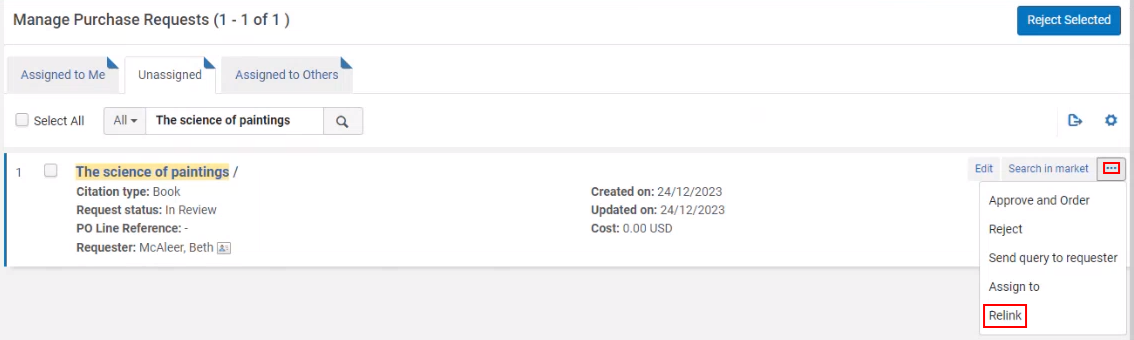
February 2024 Fulfillment and Resource Sharing URM-208240 SF: 06918869 Libraries can now configure what happens when a purchase request is relinked to a new MMS ID. When a purchase request is linked to a citation, and the purchase request is then relinked to a different MMS ID, when the parameter purchase_request_relink_citation(Configuration > Fulfillment > General > Other Settings) is set to true(default), the citation is linked to the new MMS ID. When the parameter is set to false, the citation remains linked to the original MMS ID.
If the original MMS ID had an associated copyright record, the copyright is cancelled and not applied to the newly linked MMS ID, and an alert is added indicating that the copyright was cancelled.
For more information, see Creating Requests for Citations.
-
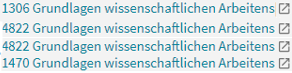
February 2024 Leganto URM-209273 SF: 06869685 When more than one list is linked to the same course, each list is now published to Primo in a separate $w.
-
February 2024 Leganto URM-206300 Based on customer feedback, the Manage collaborators window now includes a Save button so that changes to the collaborators are only applied after selecting Save.
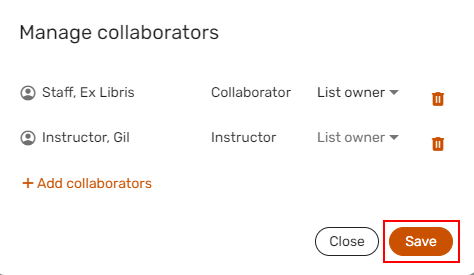
For more information, see Managing a List's Collaborators.
-
February 2024 Leganto URM-209592 URM-206511 URM-204833 URM-204818 SF: 06949448 Based on customer feedback,
- When a due date is not specified for any item in the list, the list filter Due date section does not appear.
- When manually uploading an item, if the item Type changes to Book Chapter, the Title field automatically changes to Chapter title. The reverse is also true.
- When a user accesses Leganto from an LMS, only notifications relevant to the course are displayed.
- When searching in a list, the search now includes section titles.
-
February 2024 Fulfillment and Resource Sharing URM-186377 Excel files are now supported in the course loader(Configuration > General > External Integrations > Integration Profiles) directory, in addition to .csv.

Resolved Issues
| SF number | Description |
|---|---|
| 07013715 URM-213479 | In some cases, the My list is ready button did not work. This was fixed. |
| 06887303 URM-213406 | In some cases, an incorrect question was displayed when adding an item. This was fixed. |
| 07013976 URM-213350 | The link in the Leganto Detailed Notifications Letter opened the classic UI rather than the new UI. This was fixed. |
| 06978096 URM-213307 | In some cases, custom parameters were not accounted for. This was fixed. |
| 06987615 URM-213184, URM-212310 | Previously, students were able to see disabled notifications. This was fixed. |
| 06962129 URM-213169 | Previously, public notes could not be saved after creating a citation. This was fixed. |
| 07010122 URM-213110 | In some cases, Browzine links did not appear in the citation view. This was fixed. |
| 06918598 06969461 URM-213102 | In some cases, purchase requests could not be created. This was fixed. |
| 07007172 URM-212979 | In some cases, instructors from other lists appeared on a newly created list until the new list was refreshed. This was fixed. |
| 07005931 URM-212956 | In some cases, purchase requests could not be created. This was fixed. |
| 06991358 URM-212593 | In some cases, the copyright status was not being set according to the file upload copyright options. This was fixed. |
| 06777498 URM-212392 | In some cases, RIS imports did not locate/show Links & Availability. This was fixed. |
| 06963944 06977468 URM-212280 | In some cases, newspaper articles were incorrectly located as journals. This was fixed. |
| 06992252 URM-212098 | In some cases, copyright availability dates did not match course dates. This was fixed. |
| 06983006 URM-211679 | In some cases, translated labels were either missing or not translated. This was fixed. |
| 06950616 06967488 URM-211535 | In some cases, when adding items from a Search, the Resource locate did not work as expected. This was fixed. |
| 06964601 06964607 URM-210992 | Previously, selecting Show editions only worked the first time. This was fixed. |
| 06949004 URM-210518 | In some cases, links from external resources were not displayed in Leganto. This was fixed. |
| / URM-209450 | Labels managed in the Network Zone were not updated in the IZ. This was fixed. |
| 06918598 06969461 URM-209051 | When submitting a digitization request from a list that was associated with multiple courses, only the first request would be displayed correctly. This was fixed. |
| 06930238 URM-208716 | Previously, when adding a new item from the library search, selecting the X in the search box reset the search scope. This was fixed. |
| 06793659 URM-197197 | Executable files (.exe) can no longer be uploaded to Leganto. |
